Account Settings
Manage your personal account settings and profile information.
Account Information
View and update your personal account details.
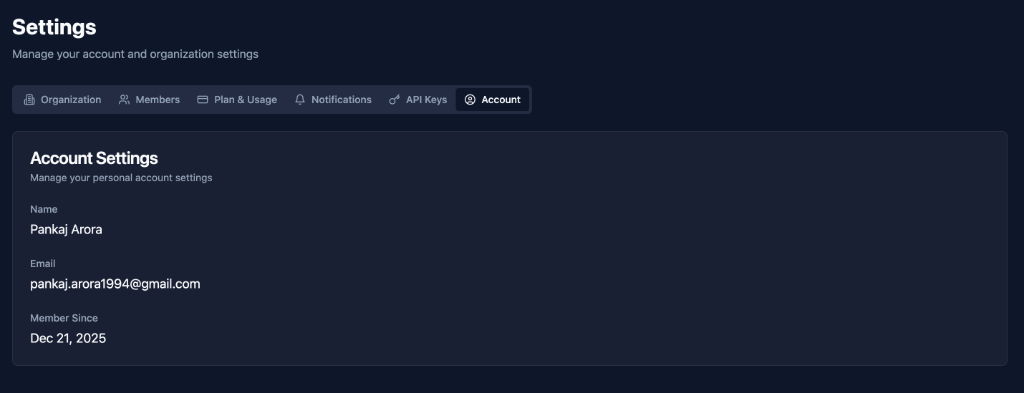
Name
Field: Name
Example: Pankaj Arora
Purpose: Displayed across the platform
Where Shown:
- User profile
- Team member list
- Activity logs
- Notifications
Editing:
- Update name field
- Save changes
- Name updated across platform
Email
Field: Email
Example: pankaj.arora1994@gmail.com
Purpose: Account identification and notifications
Used For:
- Login
- Email notifications
- Password reset
- Invitations
Changing Email:
- Update email field
- Verify new email
- Confirm change
- Email updated
Important: Must verify new email before change takes effect
Member Since
Field: Member Since
Example: Dec 21, 2025
Purpose: Shows when you joined hookVM
Cannot Change: Automatically set on signup
Best Practices
Profile Information
✅ Use Real Name: Help team identify you
✅ Professional Email: Use work email
✅ Keep Updated: Update when changed
✅ Verify Email: Ensure notifications work
Security
✅ Strong Password: Use unique, complex password
✅ Enable 2FA: If available for your plan
✅ Regular Updates: Review settings quarterly
✅ Monitor Activity: Check for unusual access
Privacy
✅ Work Email: Use company email for work
✅ Accurate Info: Keep profile current
✅ Review Permissions: Know what you have access to
✅ Secure Account: Protect credentials
Next Steps
- Organization - Configure organization
- Members - View team members
- Notifications - Configure alerts
Keep your account information up to date! 👤